
Learning about Your Profile

Greg Avola
Founder of brickd
10/20/18
Your Profile Page is the central hub for your LEGO journey on brickd. It shows your stats, activity, collections, and progress all in one place.
Profile Overview
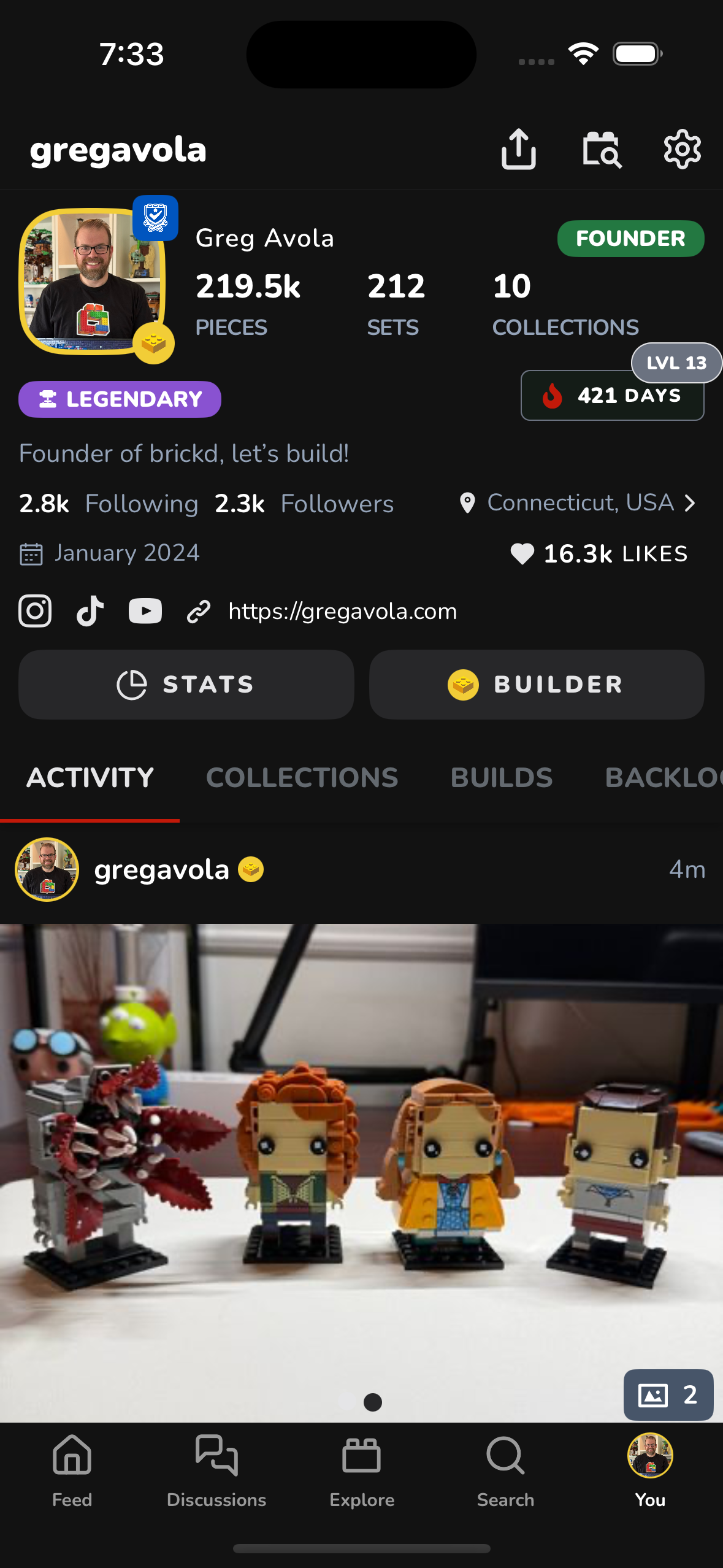
At the top of your profile, you’ll see a snapshot of your LEGO stats and community presence.
Top Stats Explained
Pieces
- The total number of pieces from BUILT sets only
- Sets in Inventory Collections are excluded
- Unbuilt and wishlist sets do not count
Sets
- The total number of sets you have added
- Includes built and unbuilt sets
- Wish List sets are not included
Collections
- The number of collections you have created
- Excludes:
- Lists
- Inventory Collections
Additional Profile Stats
You’ll also see:
- Followers & Following – Your community connections
- Streak Level & Days – Your current daily activity streak
- Likes – Total likes you’ve received across all activity
- Join Date – When you joined brickd
- Location & Links – Optional profile details and social links
Profile Tabs
Below your stats, your profile is organized into tabs so you can quickly find what you’re looking for.
Activity
- A complete timeline of all activity on your account
- Includes builds, collection updates, posts, and media
Collections
- All collections you’ve created
- Includes standard collections, backlogs, wish lists, and inventories
Builds
- Sets you are actively building
- Shows current progress and build status
Backlog
- All sets you own but haven’t built yet
- Typically powered by Backlog collections
Likes
- Activity you’ve liked across brickd
- Great for revisiting builds and posts you enjoyed
Posts
- Discussions and posts you’ve created
- Your voice in the community
Badges
- Badges you’ve earned through milestones, streaks, and achievements
- A visual history of your progress on brickd
Why the Profile Page Matters
Your profile isn’t just a summary — it’s your LEGO identity on brickd.
It helps others understand what you build, what you love, and how active you are in the community.
Happy building 🧱