

10/20/18
The Feed is where you keep up with friends, builds, and activity happening across brickd. It has two main tabs: All and Building.
All Tab
The All tab shows everything from people you follow.
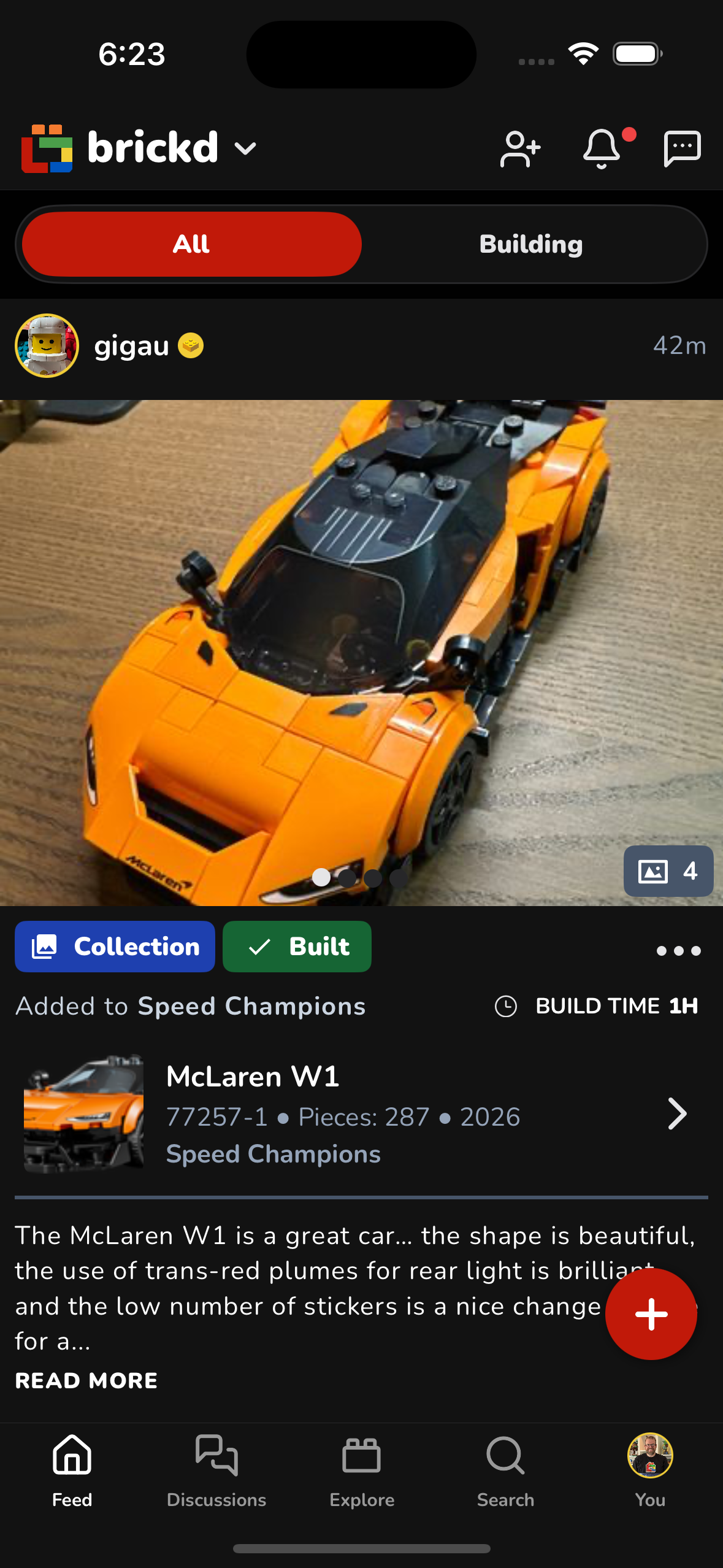
What you’ll see here
- New sets added to collections
- Completed builds
- Media posts (photos & videos)
- Discussion posts and comments
- Collection updates
Important:
Every post in this feed comes from users you already follow. Nothing here is random.
You can still like or comment on any post you see, even if you are not following that person.
Building Tab
The Building tab focuses only on active builds and build-related content.

What you’ll see here
- Builds your friends are working on right now
- Live progress updates (bag numbers, photos, notes)
- Trending sets that your friends are building or following
- Popular builds within your network
This tab is perfect if you want to see what people are actively building at the moment.
Finding Friends to Follow
To discover new builders and expand your feed:
- Tap the “+” icon in the top-right corner of the main feed
- You’ll see recommended users to follow
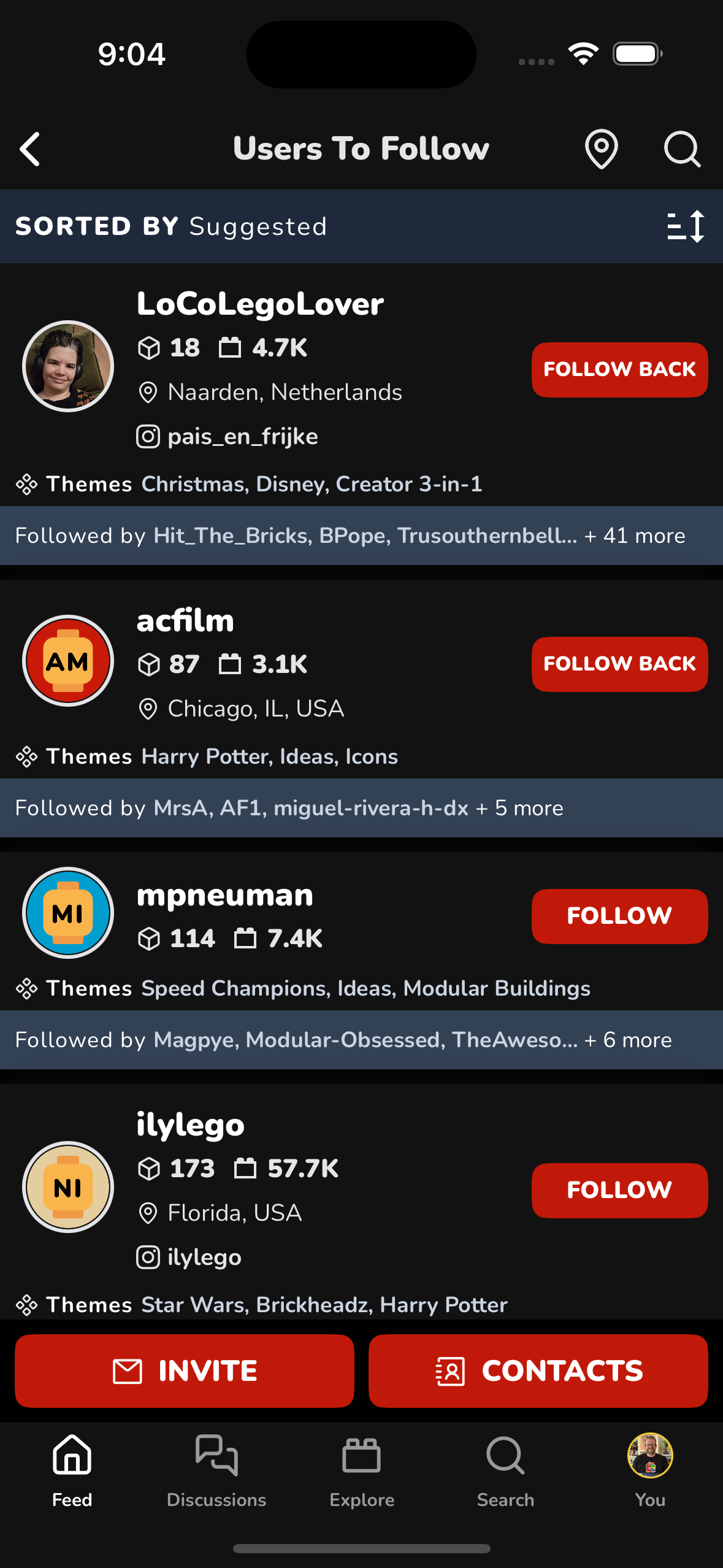
Recommendations are based on:
- Shared themes and interests
- Popular builders in the community
- Location (optional)
- Mutual followers
Location-Based Discovery
You can also find builders near you.
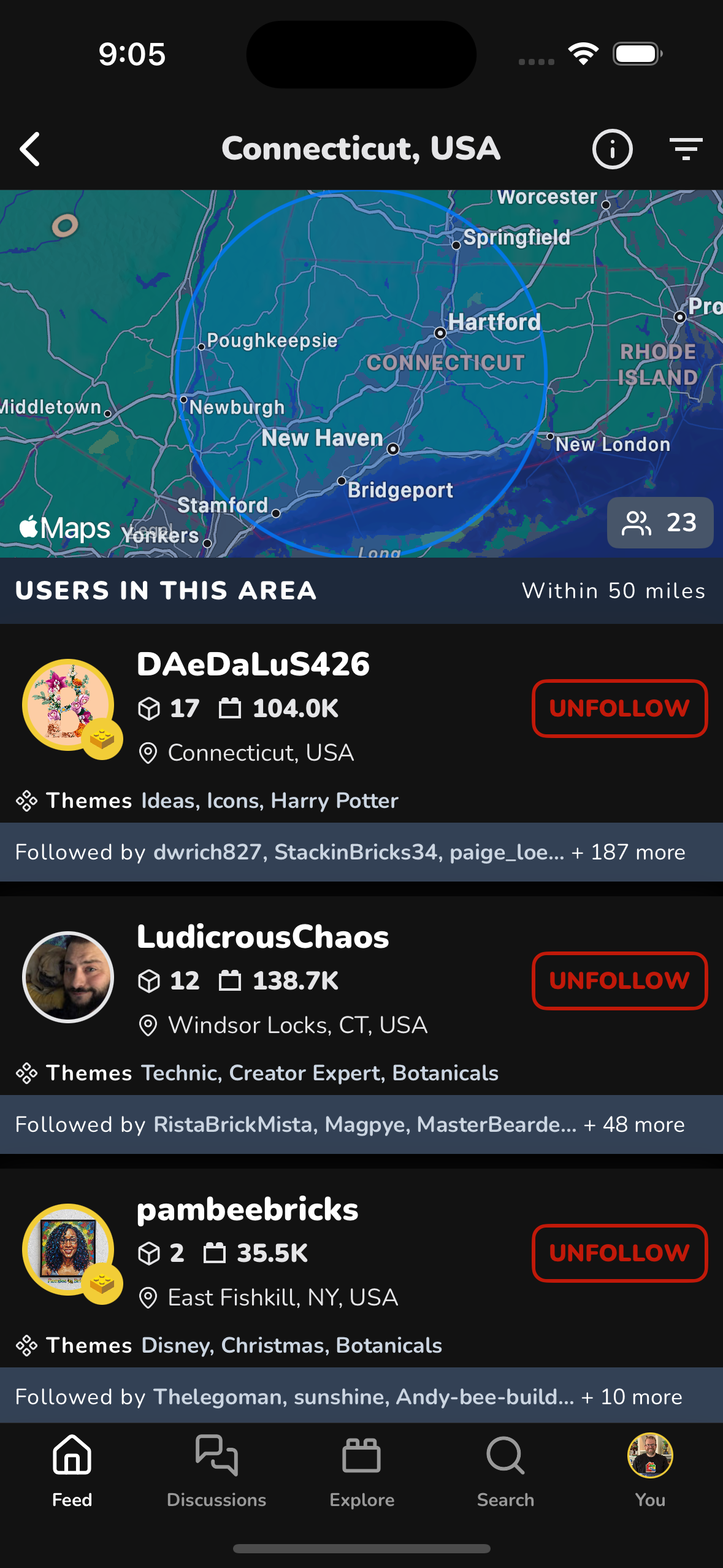
This view shows:
- LEGO fans in your area
- Distance radius
- Their favorite themes and activity
Keep in mind this not specific location, just general location shared in profile.
Quick Summary
| Tab | Purpose |
|---|---|
| All | Every type of activity from people you follow |
| Building | Active builds and trending sets your friends are into |
| + Button | Find and follow new LEGO fans |
Your feed gets better as you follow more builders — welcome to the brickd community 🧱