
Creating a Collection

Greg Avola
Founder of brickd
10/20/18
Collections let you organize your LEGO sets or minifigures exactly how you want. This guide walks through creating a collection and explains each available collection type and setting.
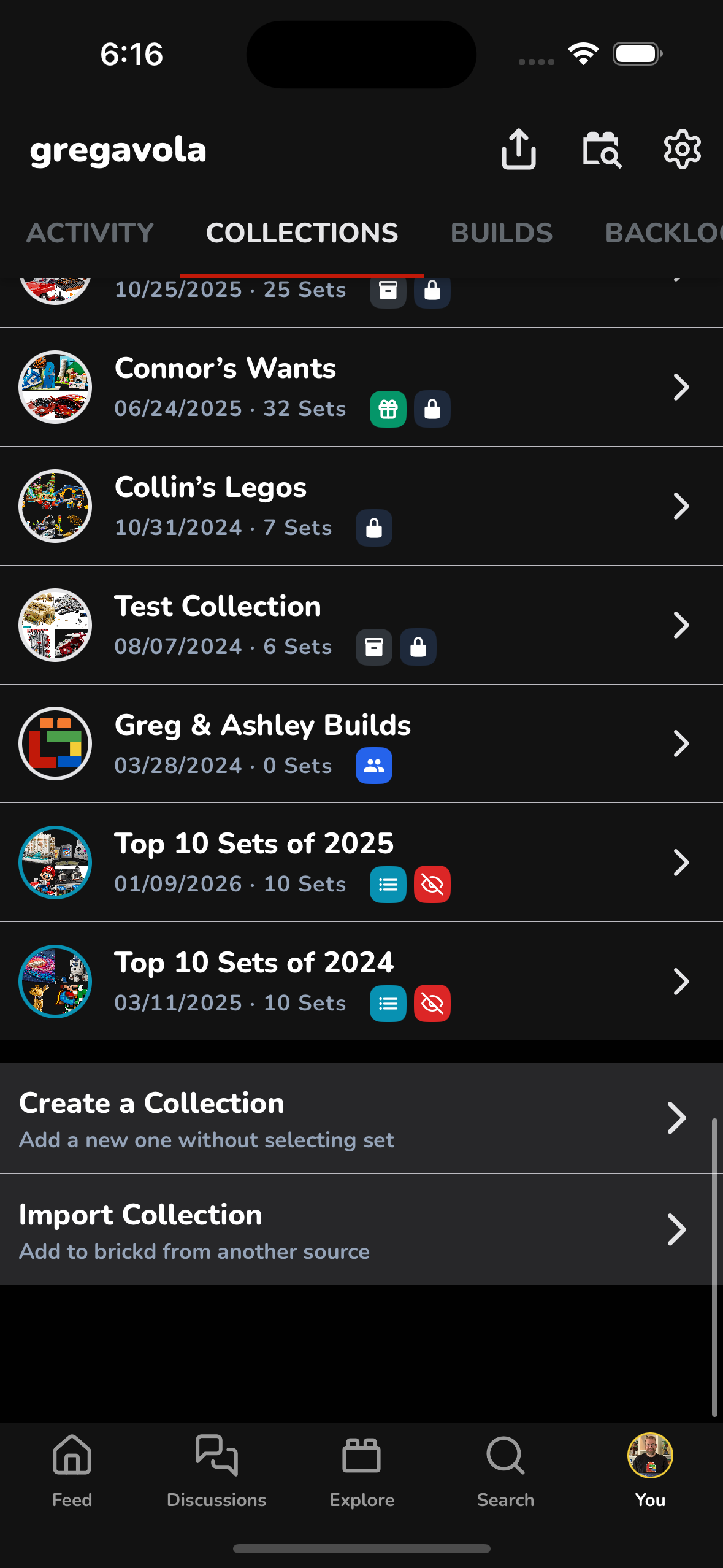
Step 1: Go to Collections
From your profile, open the Collections tab and tap Create a Collection.
Step 2: Enter Collection Details
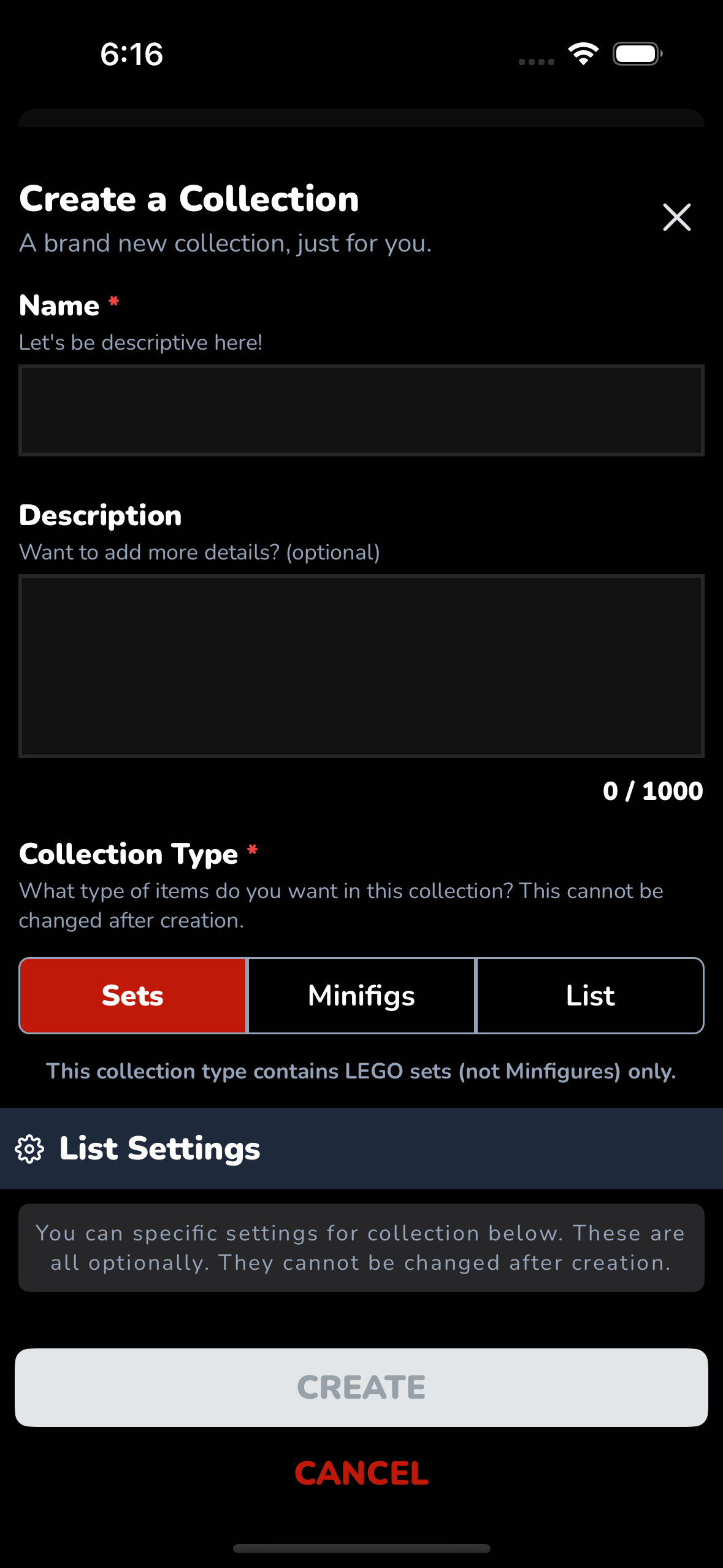
Fill in the basics for your collection.
- Name (required) – Give your collection a clear, descriptive name
- Description (optional) – Add context or notes
- Collection Type (required) – This cannot be changed later
Available collection types:
- Sets – LEGO sets only
- Minifigs – LEGO minifigures only
- List – A general-purpose list (non-collection use cases like rankings)
Step 3: Configure List Settings (Optional)
List settings define how the collection behaves. These options cannot be changed after creation.
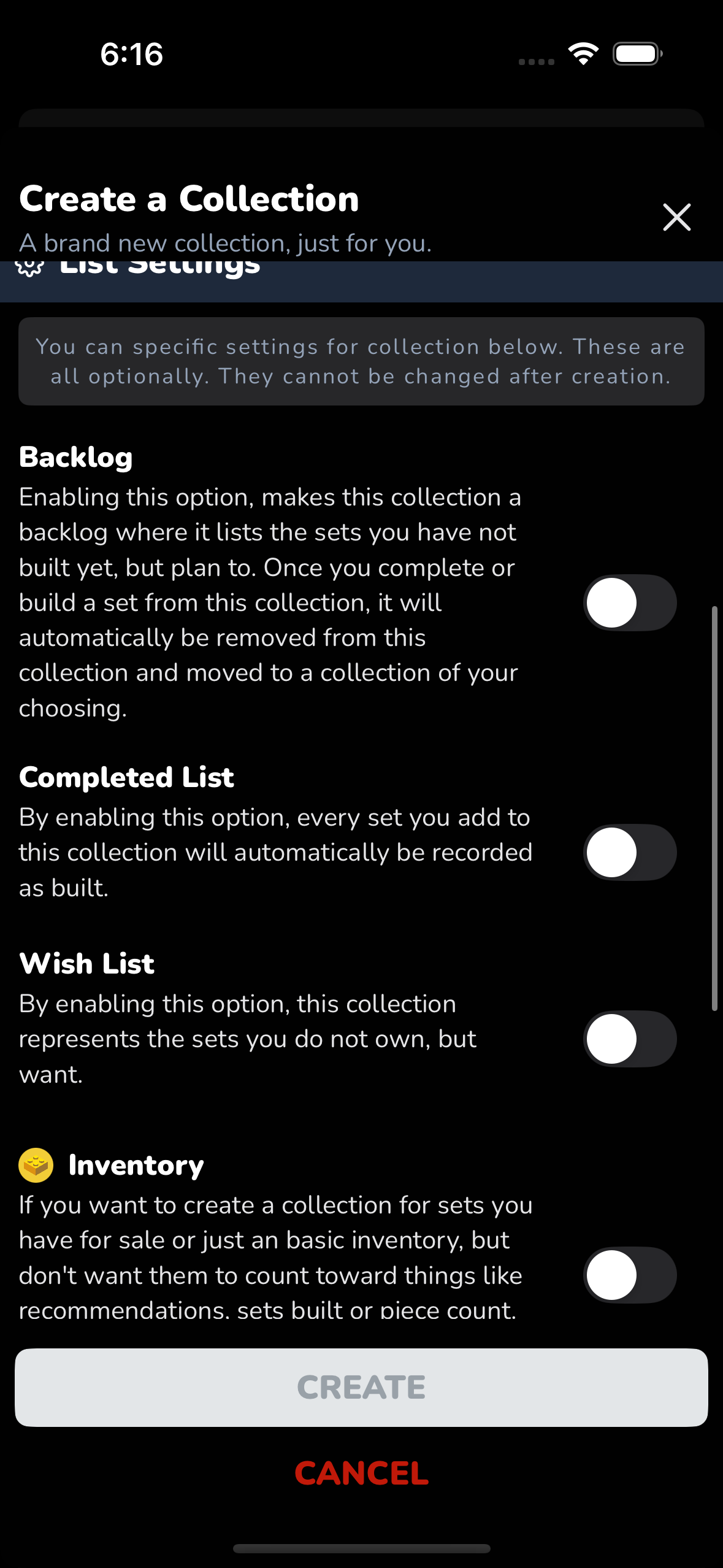
Backlog
- For sets you own but haven’t built yet
- When a set is marked as built or completed, it is automatically removed and moved to another collection of your choice
Completed List
- Every set added is automatically recorded as built
- Ideal for tracking finished builds
Wish List
- For sets you do not own but want
- These do not count as owned or built
Inventory
- For sets you have for sale or just tracking
- Excluded from recommendations, piece counts, and build stats
- Cannot be changed after creation
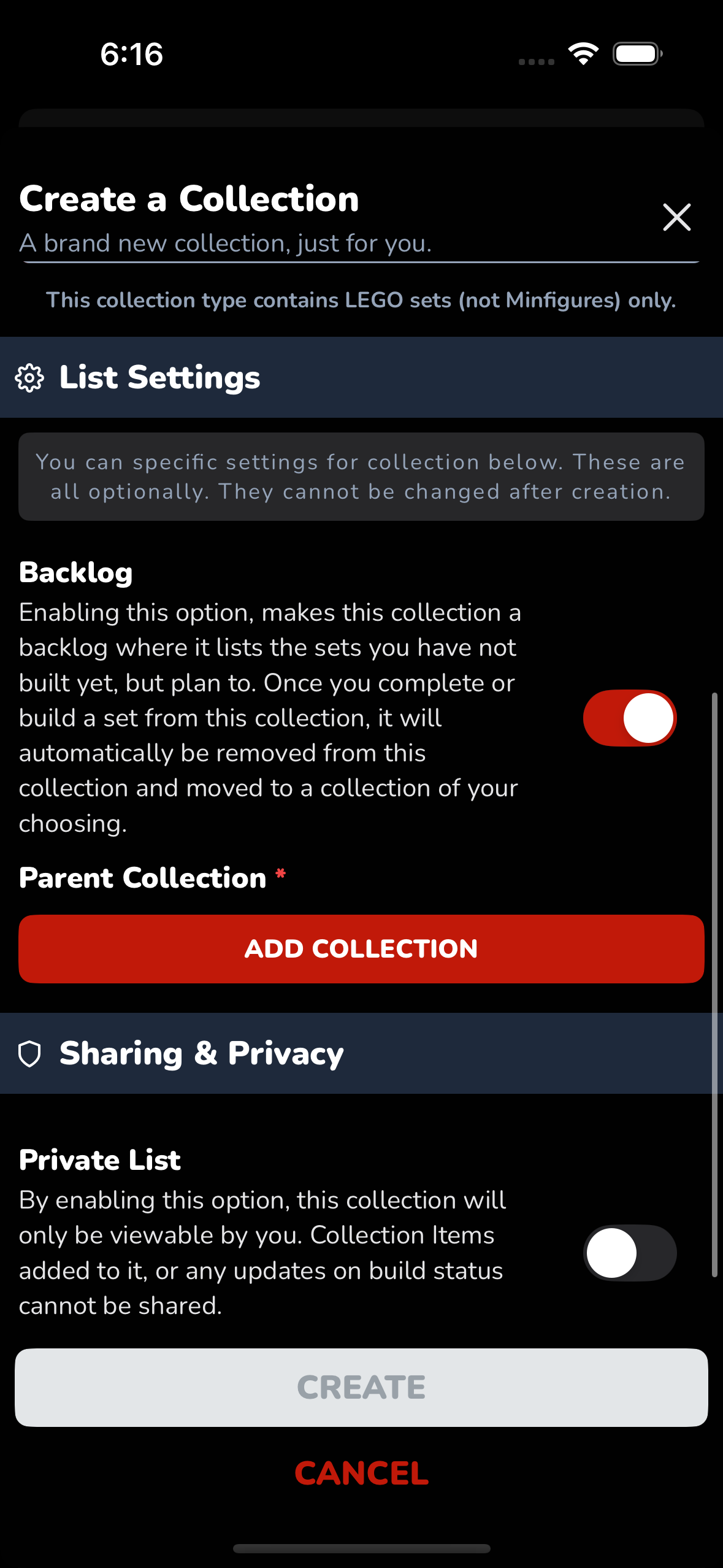
Step 4: Sharing & Privacy
Control who can see your collection.
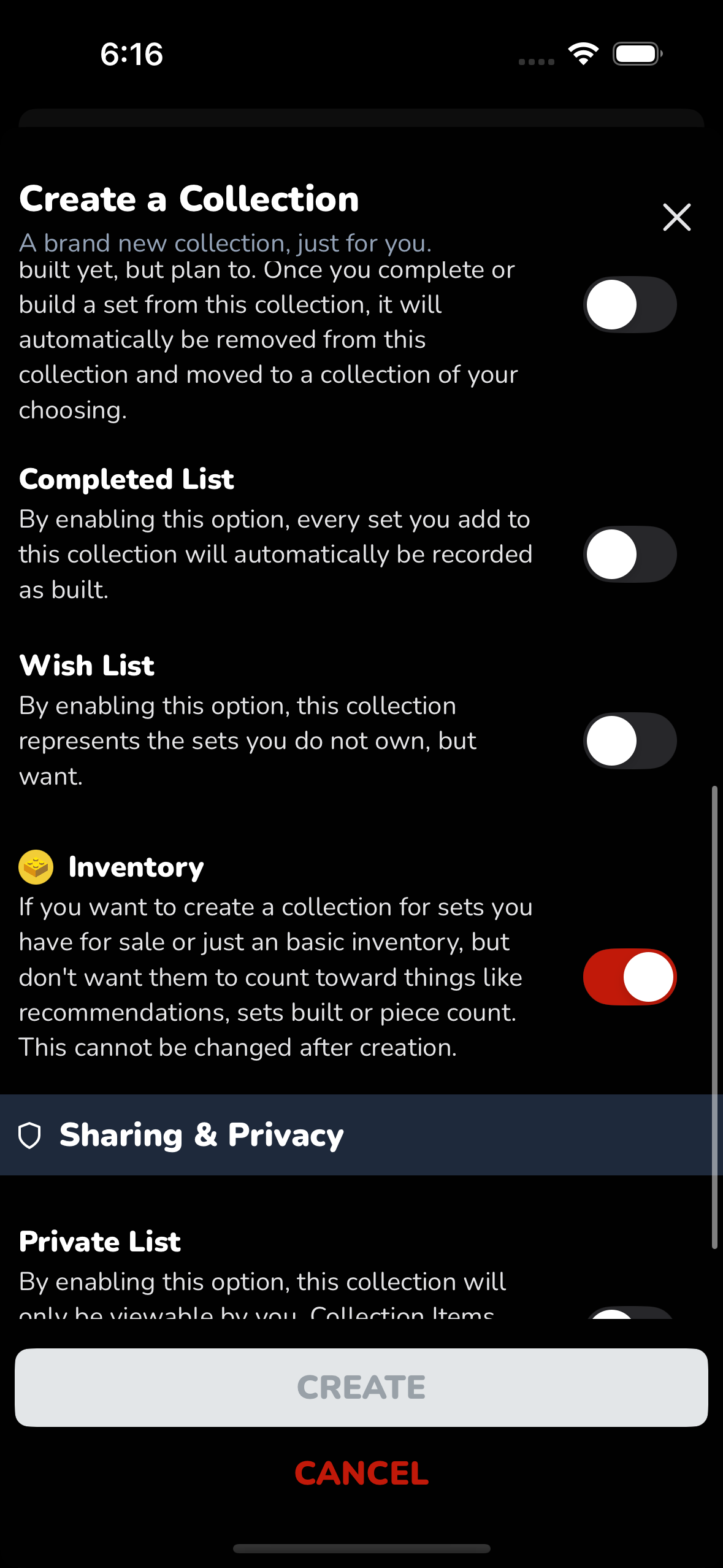
Private List
- Only visible to you
- Items and build updates are not shared with others
Step 5: Create the Collection
Once everything looks good, tap Create.
Your new collection will appear in your Collections list and is ready to use.
Quick Reference: Collection Types
| Type | Best For |
|---|---|
| Backlog | Sets you plan to build |
| Completed | Sets already built |
| Wish List | Sets you want but don’t own |
| Inventory | Sets for sale or excluded from stats |
| Sets | Standard LEGO set collections |
| Minifigs | Minifigure-only collections |
| List | Rankings, top 10s, or custom lists |
That’s it! You’re ready to start organizing your LEGO world on brickd 🧱